
Offsets dialog
Information
Changing the offsets deletes the generated point-cloud.
Tip
By default, the Offsets dialog opens on the INS Offsets tab.
Tip
You can enter the offset manually or use the up and down arrows to increase or decrease the value.
Scanner Offsets
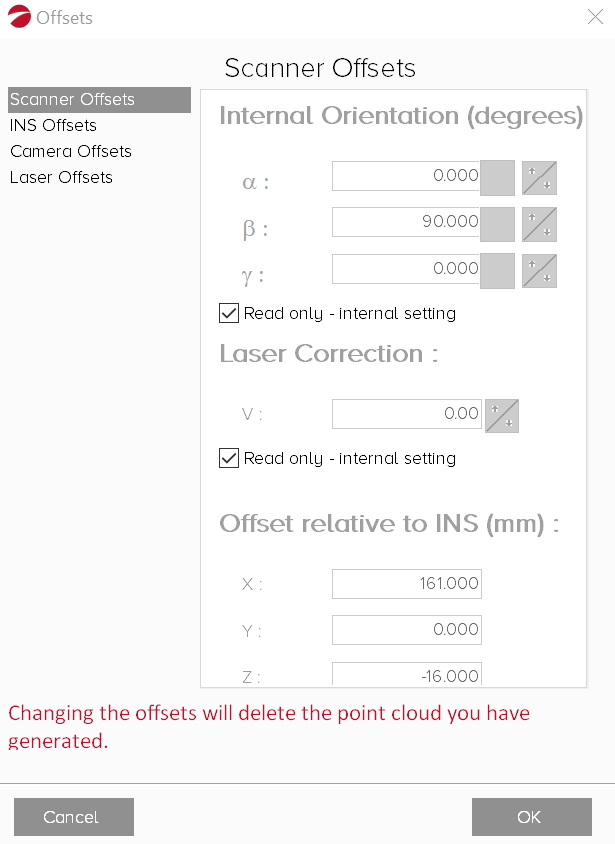
From the Scanner Offsets tab you can increase or decrease the following offsets:
-
Internal Orientation (degrees):
-
Alpha (α)
-
Beta (β)
-
Gamma (γ)
-
Laser Correction
-
Offset relative to INS (mm):
-
X-axis: The horizontal axis of a system of coordinates
-
Y-axis: The vertical axis of a system of coordinates
-
Z-axis: Perpendicular to the X- and Y-axis
Tip
In most cases, scanner offsets do not need to be changed.
Only change the scanner offsets if the orientation of the scanner relative to the INS is different.
INS Offsets
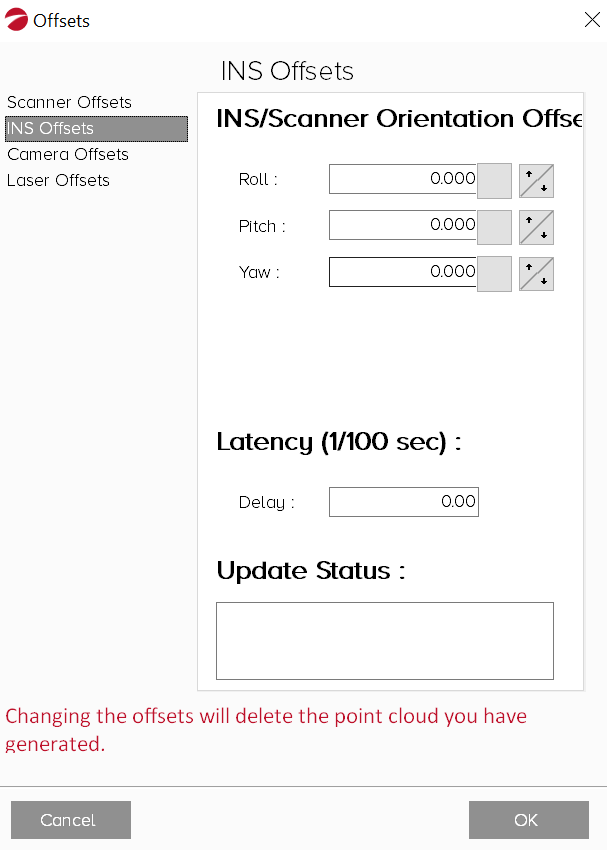
From the INS Offsets tab you can increase or decrease the following offsets:
-
INS/Scanner Orientation Offset:
-
Roll: The front-to-back axis rotation
-
Pitch: Side-to-side axis rotation
-
Yaw: Vertical axis rotation
-
Latency (1/100 sec):
-
Delay: The degree of delay between the INS and the scanner
Tip
Under Update Status, record the date and time the offsets were changed, and if they were changed manually or by a filter.
Camera Offsets
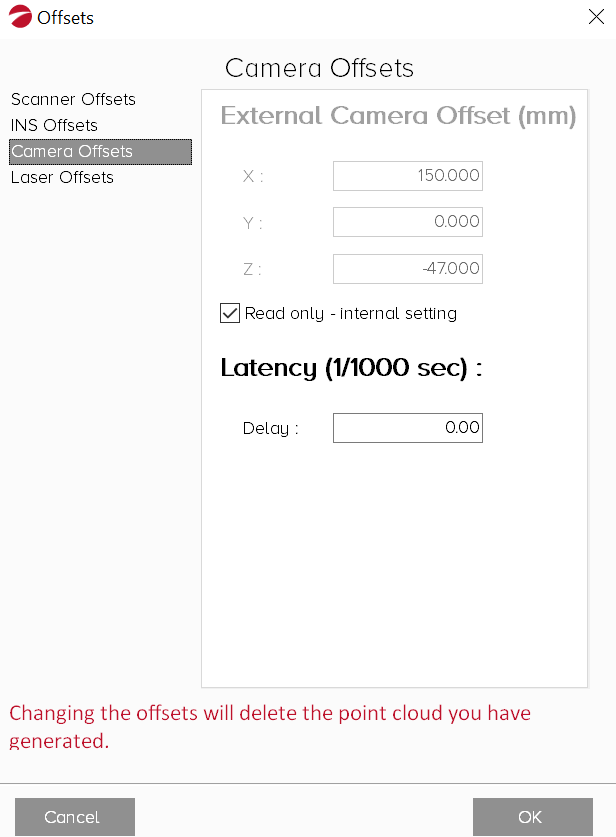
From the Camera Offsets tab you can increase or decrease the following offsets:
-
External Camera Offset (mm):
-
X-axis: The horizontal axis of a system of coordinates
-
Y-axis: The vertical axis of a system of coordinates
-
Z-axis: Perpendicular to the X- and Y-axis
-
Latency (1/100 sec):
-
Delay: The degree of delay between the INS and the camera
Laser Offsets
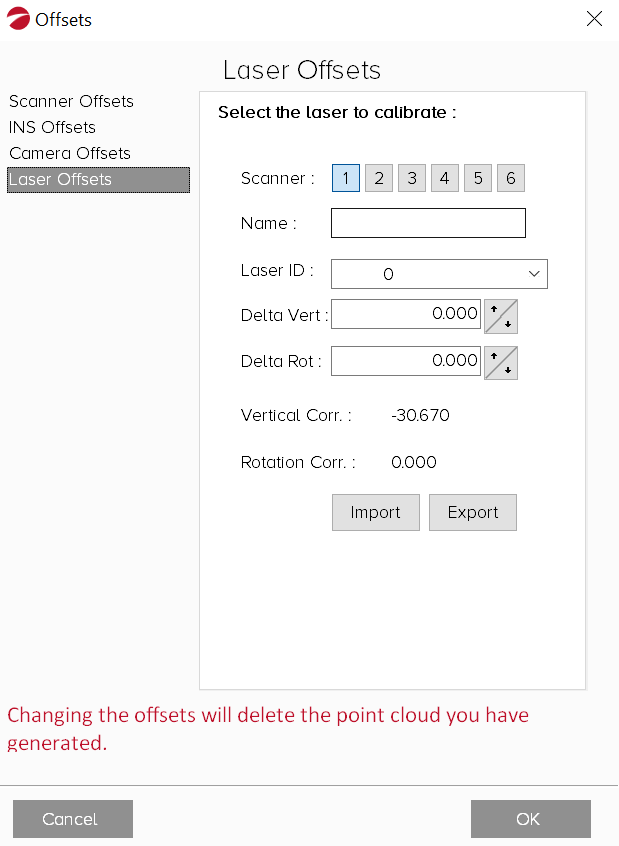
From the Laser Offsets tab you can calibrate each laser:
-
Select the scanner to calibrate
-
Enter a scanner Name
-
Select a Laser ID from the drop-down
-
Increase or decrease the vertical and rotational delta
-
Select Import to import a .config laser configuration file
-
Select Export to export the .config laser configuration file from Purepoint
